
API keys let external applications access the Reformat API on behalf of your organisation. This guide covers how to create, view, and revoke keys.
Where to Find API Keys
Sign in to reformatword.com and navigate to API Keys in the sidebar. The page shows all API keys for your organisation.
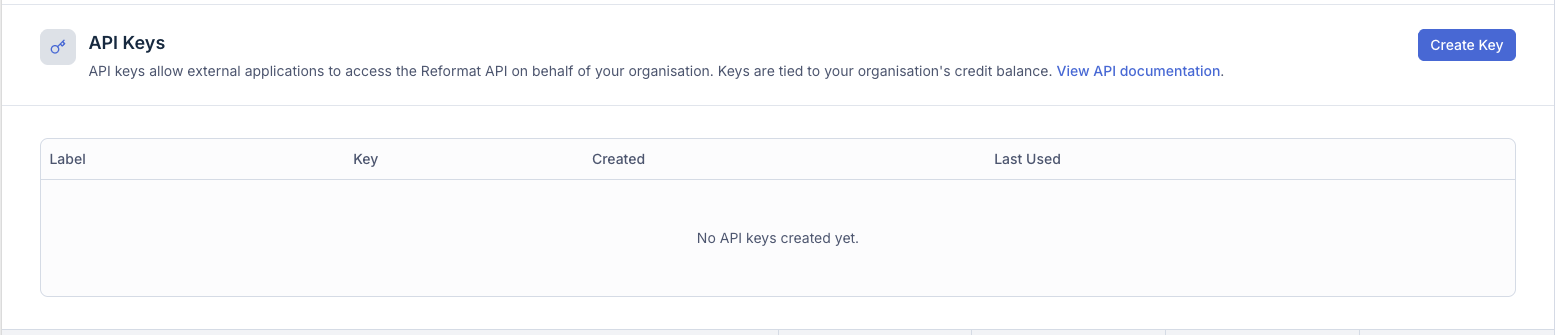
The keys table displays:
| Column | Description |
|---|---|
| Label | An optional name you gave the key when creating it |
| Key | The key prefix (first characters only — the full key is never shown again) |
| Created | When the key was created |
| Last Used | When the key was last used to make an API request |
Creating a Key
- Click Create Key in the top-right corner.
- A dialog appears asking for an optional label. Labels help you remember what the key is used for (e.g. “Production”, “Development”, “CI Workflow”).
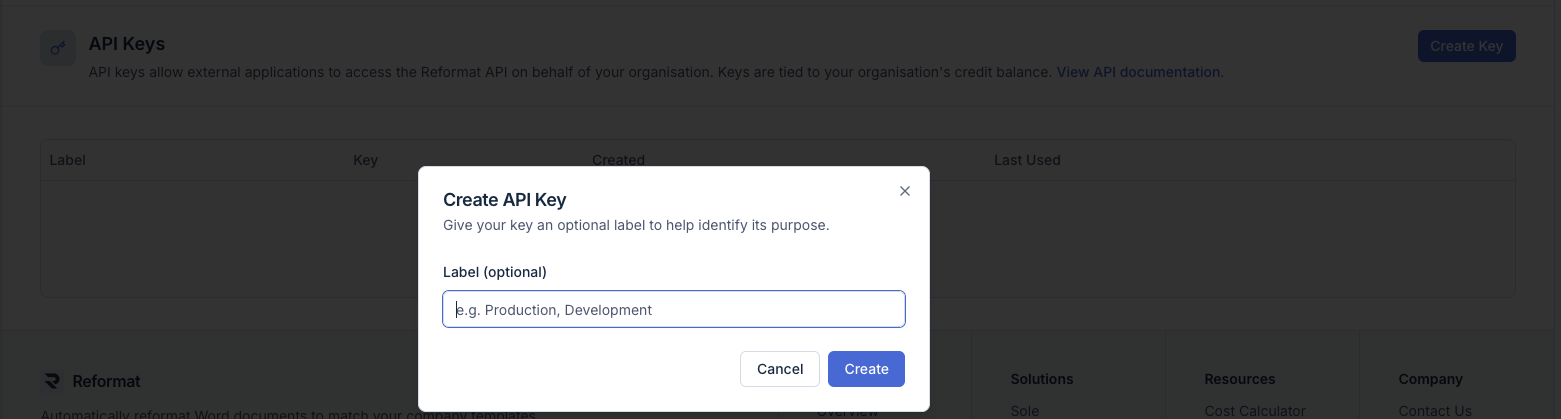
- Click Create.
- Your new API key is displayed in a confirmation dialog.
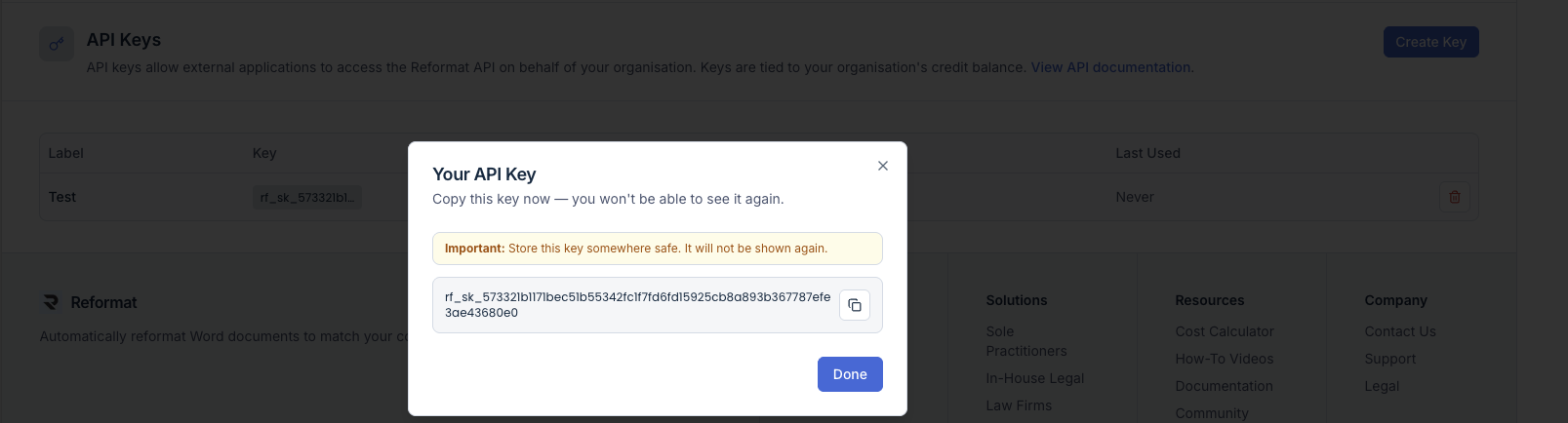
Important: Copy the key immediately and store it somewhere safe. The full key is shown only once — after you close this dialog, only the prefix will be visible in the table.
- Click Done to close the dialog.
Key Limits
Each organisation can have up to 5 active API keys at a time. If you have reached the limit, you will need to revoke an existing key before creating a new one. A message appears below the page heading when the limit is reached.
Revoking a Key
To revoke a key, click the delete button next to the key in the table. A confirmation dialog will appear. Once revoked, the key can no longer be used for API requests. Revocation is immediate and permanent.
How Keys Work
- API keys are tied to your organisation’s credit balance. Any API call made with any of your keys consumes credits from the shared organisation pool.
- Keys authenticate requests to the Reformat API. Include the key in the
Authorizationheader of every request (see Getting Started with the Reformat API for details). - Each key tracks when it was last used, so you can identify unused keys that should be revoked.
Security Tips
- Treat API keys like passwords — do not share them in emails, chat messages, or version control.
- Use descriptive labels so you know which key is used where.
- Revoke keys you no longer need.
- If you suspect a key has been compromised, revoke it immediately and create a new one.