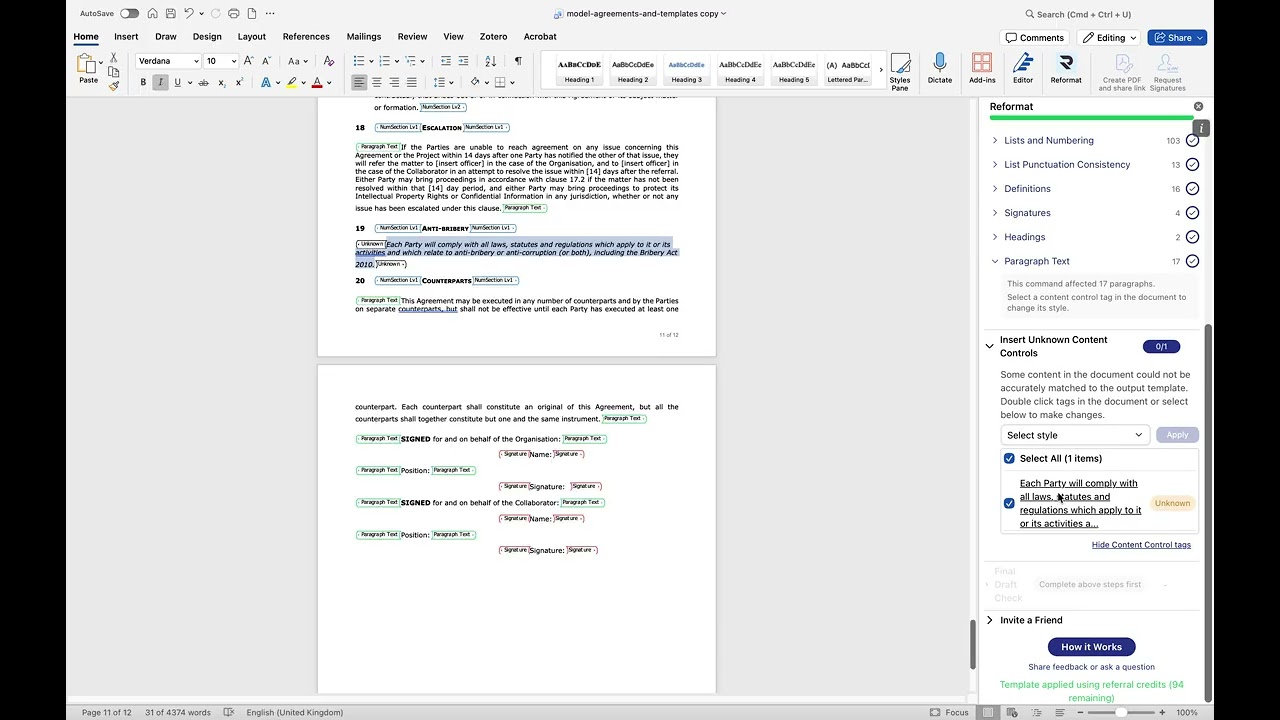
See how the Reformat add-in for Microsoft Word transforms an inconsistently formatted legal agreement into a professional document — in minutes.
In this demo, we walk through common formatting problems found in legal documents:
- Font inconsistencies
- Manual numbering that breaks when editing
- Inconsistent indentation and tabbing
- Mixed numbering formats (e.g., “a)” vs “5.1.1”)
- Skipped and duplicate clause numbers
- Inconsistent list punctuation
Then we apply a Reformat template to fix them all automatically, resolve any remaining items with simple manual corrections, and run a Final Draft Check to catch unfilled placeholders and unused definitions.
Whether you work with collaboration agreements, NDAs, or other legal documents, Reformat helps your team maintain consistent, professional formatting — saving hours of manual work.